Picture trying to watch a live game, but your TV can’t find the signal. No cable box. No Wi-Fi help. Just you, your screen, and a mystery.
That mystery has a clear answer. Your TV receives broadcast signals through an antenna, cable wire, or a satellite dish. Then it tunes, decodes, and turns that stream of data into moving pictures and sound.
Once you understand the path from station to screen, troubleshooting gets easier too. You’ll know why “no signal” happens, what a better antenna fixes, and why some channels look great while others don’t. Next, let’s follow the journey step by step.
How TV Stations Broadcast Signals into the Air (and Beyond)
TV stations don’t send “video” in the simple way people imagine. Instead, they pack shows into a digital broadcast signal and transmit it on specific radio frequencies.
Over-the-air (OTA) broadcasting uses VHF and UHF radio waves. Your TV antenna picks up those waves, then the TV “locks on” to the right frequency. From there, the TV pulls out the audio and video data, and repairs any errors caused by noise.
Stations also add extras inside the same broadcast. You might notice faster channel finding, richer metadata, and improved emergency alerts. With ATSC 3.0 (NextGen TV), stations can carry more data per channel, which helps support 4K video and advanced audio features.
Meanwhile, cable and satellite start with a different delivery chain, but the end goal stays the same. Cable providers bundle many channels and send them through coaxial cables. Satellite providers beam channels from space to a dish on your roof, then forward the signal to your receiver.
In 2026, OTA reception still matters to a lot of households because it’s often the only way to get truly local live TV for free. Also, ATSC 3.0 keeps growing. Recent figures show ATSC 3.0 service is available in over 80 million US homes, but the exact lineup depends on where you live.
And yes, the transition is still in motion. Many areas use older ATSC 1.0 broadcasts for compatibility, while newer ATSC 3.0 content rolls out where equipment and station setups are ready. The ATSC and broadcasters keep refining standards, too. For example, ATSC regularly shares updates on NextGen TV progress in industry memos and reports, including ATSC’s “President’s Memo: Spring Momentum for Next-Generation Broadcasting”.
If you want a mental picture, think of broadcast towers as radio “stations,” not Wi-Fi routers. The signal travels outward, and your receiver acts like a careful listener.
The Power of ATSC 3.0: NextGen TV’s Big Upgrades
So what changes with ATSC 3.0? The short version is that it carries more information, more efficiently. That’s what makes 4K, better audio, and richer services more practical.
Here are the big upgrades many people notice:
- Better picture with 4K HDR support: ATSC 3.0 can support higher-resolution video and high-dynamic-range formats.
- More audio detail: It supports immersive audio formats designed to feel more “surround” than older systems.
- Improved compression efficiency: It uses modern video compression methods to fit more into the same broadcast slot.
- Data services alongside TV: Stations can send extra data that your TV can use for improved guides and features.
There’s also a security layer called A3SA that helps protect certain content. That matters when TV services include protected programming and interactive features.
ATSC 3.0 also supports better mobile reception, so signals can perform more like a “move-friendly” broadcast system than older generations. In everyday terms, that can mean fewer dropouts when you’re on the edge of coverage.
Still, it’s not a switch you flip overnight. FCC efforts aim to speed up the transition from ATSC 1.0 to ATSC 3.0, but rules and timelines take time. As of early 2026, FCC activity continues, with proposals about simulcasting requirements and further rulemaking. That’s one reason you may see NextGen TV features in some places and not others.
Even the consumer hardware rollout follows that same pace. For example, some markets have begun exploring inexpensive add-on approaches for older TVs. Coverage at industry outlets tracks how real deployments match the plan on paper. One example is NewscastStudio’s industry recap on where NextGen TV stands.
So the key takeaway is simple: ATSC 3.0 improves what’s inside the signal, but your TV (or an add-on box) still needs to understand it.
Grabbing Signals: Antennas, Cables, and Dishes Explained
Now you just need to catch the signal. The way you do it depends on what you subscribe to, or what you choose for free local channels.
Over-the-air (OTA) reception in plain terms
With OTA, you use an antenna. Your TV input expects a broadcast signal on a frequency it can tune.
- An indoor antenna sits near a window or close to where signal strength feels strongest.
- An outdoor antenna mounts higher for better line-of-sight.
- Many people start with an amplified antenna when they’re far from towers or surrounded by buildings.
Then you run a channel scan. Your TV searches the airwaves, finds what’s available, and saves the channel list. If you move the antenna, you may need to scan again.
Cable delivery, also in plain terms
Cable uses coaxial wiring from the provider to your home. Here’s the practical difference: your TV usually doesn’t need to find OTA stations. Instead, it receives a curated lineup through the cable connection.
In most setups, the cable company (or a cable box) handles the heavy work. Your TV still tunes and decodes internally, but your “source” signal comes from the cable network.
Satellite delivery, also in plain terms
Satellite relies on a dish pointed at the sky. The receiver then demodulates the broadcast and turns it into a stream your TV can display. Satellite can be great in rural areas where cable lines don’t run well. However, heavy weather can affect reception, depending on your setup.
A quick comparison
If you want a simple way to decide, compare what you’re optimizing for:
- OTA: Free local channels, best for live news and sports, most sensitive to antenna placement.
- Cable: Reliable indoors, wide channel bundles, requires subscription.
- Satellite: Strong reach in remote areas, often great for rural homes, can be weather-sensitive.
Tip for weak areas: a better antenna often beats a random “booster.” Boosters can help, but the goal is to improve the signal-to-noise ratio without overloading your tuner.
Modern 2026 note: streaming is popular, but locals still matter
Streaming has taken over a lot of daily viewing. Still, many people rely on OTA for live events, local weather, and emergency alerts. When you want “what’s happening right now,” broadcast stays handy.
Setting Up Free Over-the-Air Reception Right
Want to try OTA? Here’s the best way to set it up without turning it into a weekend science project.
First, pick the right antenna. If you live within decent range of stations, an indoor antenna near a window can work. If towers are farther away, or if you’re behind tall buildings, an outdoor antenna tends to win.
Next, make the connection. Most antennas use coax cable to connect to your TV’s antenna input. If you use an amplified antenna, you may need a power inserter or USB power, depending on the model.
Then comes the part people skip: scanning for channels. Use your TV’s menu to run an auto-scan. After that, check signal strength for the channels you care about most.
If you don’t get everything on the first try, move the antenna in small steps. Even a foot or two can change results. After each move, you can rescan or check signal meters.
Also remember this: TV reception isn’t only about distance. Obstacles matter. Walls, metal siding, and dense neighborhoods can weaken signals. So can trees during certain seasons.
One more important detail for US buyers: TVs sold in the United States typically must include built-in tuners. That rule makes OTA setup more straightforward than it used to be.
Cable and Satellite: When You Want More Channels
Sometimes you want the channel lineup more than you want DIY reception. In that case, cable or satellite can feel easier.
Cable often wins when you live in a city or suburb with solid provider service. The coax line brings you a stable stream, and your biggest “signal problems” may be local network issues, not antenna placement.
Satellite can be a strong choice for rural homes. It doesn’t depend on your local tower distance the same way OTA does. Still, heavy rain and snow can interfere. In practice, your receiver and dish alignment matter just as much as the provider plan.
If you’re deciding between the two, think about your viewing habits:
- If you watch a lot of local sports and news, OTA may be enough.
- If you want many specialty channels, cable or satellite usually fits better.
- If you travel or move often, OTA offers flexibility without subscription equipment.
Also, keep expectations realistic. Cable and satellite still involve tuners and decoders inside your TV or receiver. You’re mostly changing where the signal comes from, not removing the signal-processing steps.
Finally, if you’re curious about ATSC 3.0 specifically, know that satellite and cable may carry NextGen TV content differently. Some setups rely on receiver compatibility, so hardware details still matter.
For a real-world look at how companies approach NextGen TV adoption challenges, Rethink Research covered Pearl TV’s strategy around ATSC 3.0 access at Pearl TV’s answer to ATSC 3.0 adoption at CES 2026.
Inside the TV: Tuning In and Decoding the Show
Once the signal reaches your TV, the journey becomes technical but manageable. Your TV has a few key jobs it performs every time you switch channels.
First, a tuner selects the correct frequency. It filters out noise and helps lock onto the station’s signal pattern. Think of it like a smart dial that only lands on the right station.
Second, the TV uses a processor and decoder. This step unpacks the broadcast’s compressed video and audio. Because broadcast signals include error correction, the decoder also repairs damaged data caused by weak reception.
Third, your TV applies picture and sound enhancements. In many models, that includes HDR mapping and upscaling. So even if the source is compressed or not perfect, your screen still looks sharp.
If the broadcast is ATSC 3.0, your TV may also handle extra services carried in the same signal. That can include interactive elements or improved guide info, depending on station and TV support.
Your TV’s Tuner: The Signal Gatekeeper
The tuner’s job is simple to describe: find the channel and get the data stream. But it does a lot behind the scenes.
When you press a channel button, your TV needs to do two things fast. It must tune to the right frequency, and then it must “lock in” to the digital signal structure.
From there, it keeps monitoring the signal. If reception dips, the tuner and error correction help stabilize what the decoder receives. That’s why you might see momentary glitches before the picture fully catches up.
If your tuner locks but picture still looks bad, the issue may be input settings, antenna placement, or signal strength. If your tuner can’t lock, you’ll get “no signal” or missing channels.
Decoder Magic: Turning Data into Video and Sound
The decoder is where the broadcast becomes real TV.
A modern broadcast signal contains compressed video, audio tracks, and sometimes additional data. The decoder reverses compression and rebuilds the picture frames. It also recreates audio timing so speech and effects match what you see.
In ATSC 3.0, the improved compression and higher data capacity can support richer formats. As a result, the TV can show more detail and smoother motion, especially on compatible channels.
Then the TV’s processor applies display settings. HDR formats need tone mapping, so bright areas don’t clip. If the broadcast includes immersive audio, the TV can route it to sound processing features too.
In short, decoding turns “a data stream” into “what your eyes expect.”
From Processed Pixels to Stunning Screens: Display Tech Breakdown
After decoding, your TV has a final job. It must light up pixels in a way that matches the incoming video.
Different display types handle brightness, contrast, and color in different ways. That’s why two TVs can both show “4K,” yet one looks deeper in dark scenes.
Here’s a quick compare:
| Display type | Best at | Watch for |
|---|---|---|
| LCD | Bright, affordable everyday viewing | Blacks that look more gray in dim rooms |
| OLED | Perfect blacks and contrast | Price, and potential brightness limits for long static scenes |
| QLED | Strong color and brightness in daylight | Dark-scene contrast not as perfect as OLED |
The table takeaway: the “signal path” matters, but screen tech shapes what you perceive.
Also, new broadcast features like ATSC 3.0 4K benefit any modern display. Still, the biggest visual jump usually comes from pairing a strong source with the right screen type for your room.
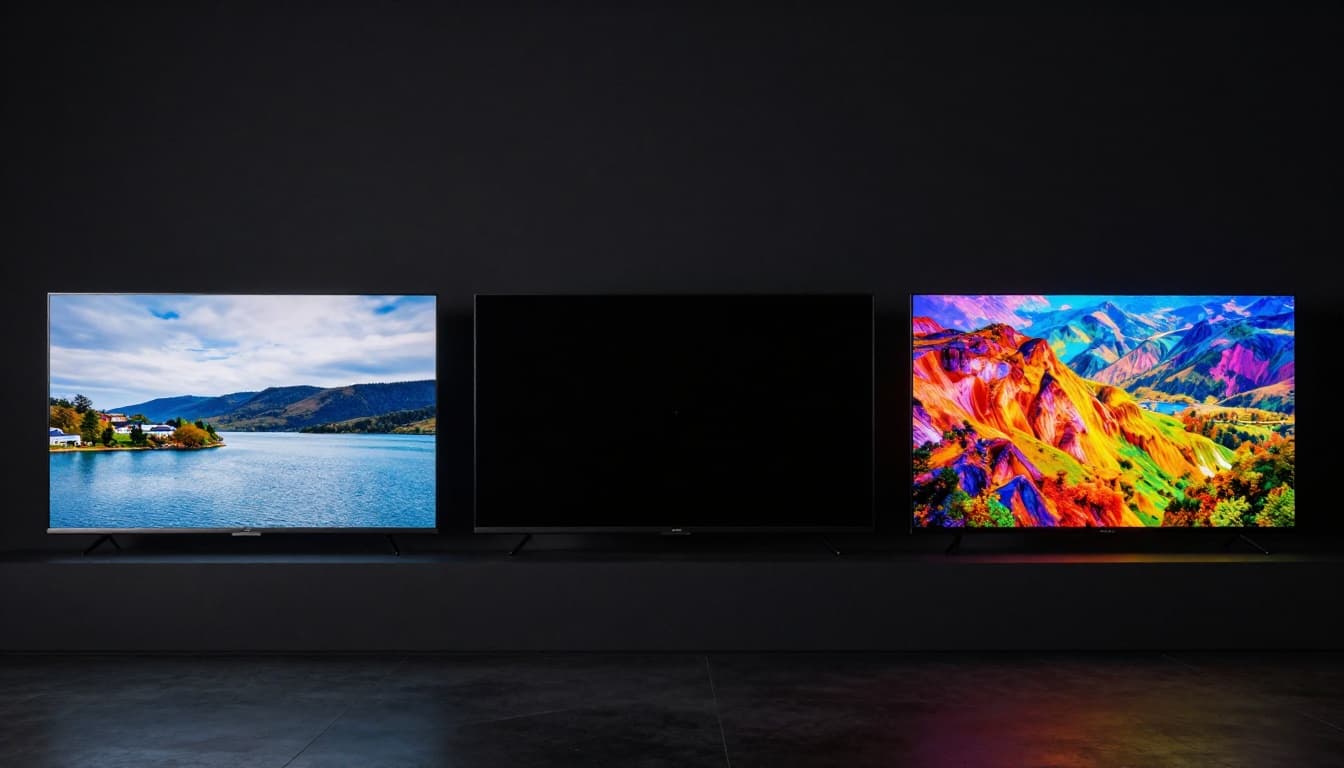
LCD: Reliable Brightness for Everyday Viewing
LCD TVs use a backlight. That backlight shines through liquid crystal layers, which shape the light into colors.
Because they rely on a backlight, LCD TVs often handle bright living rooms well. You can watch during the day without feeling like the screen dims to a whisper.
On the downside, LCD blacks depend on how well the TV can block backlight. In dark scenes, that can make blacks look slightly lifted. For many viewers, that difference is mild. For movie purists in dim rooms, it can stand out.
OLED: Infinite Contrast for Movie Nights
OLED displays work differently. Each pixel can light up on its own, or turn off completely. As a result, OLED can produce very deep blacks.
That makes a big difference for nighttime scenes, horror movies, and shows with lots of dark skies. The contrast tends to look more dramatic, especially when the room lights are low.
OLED also has wide viewing angles. Sit off to the side, and the picture still holds up.
If you want a helpful comparison of OLED versus QLED strengths, RTINGS breaks down how they differ in practice on its page QLED vs OLED: Which One Is The Best? – RTINGS.com.
QLED: Punchy Colors That Pop Anywhere
QLED is a type of LCD that uses quantum dots to improve color. In bright rooms, that can lead to very vivid images.
Many QLED sets also aim for strong HDR brightness. That helps highlights pop, like streetlights at night or stadium scoreboards in daylight.
The main tradeoff is dark-scene contrast. QLED often can’t match OLED’s “off pixel” blacks. Still, it can look fantastic for sports, daytime TV, and colorful shows.
Conclusion
TV broadcasts follow a clear path: stations transmit, your TV receives, then it tunes, decodes, and displays. OTA antennas, cable wires, and satellite dishes each deliver the signal in their own way, but your TV still performs the same core jobs.
If you want the simplest way to see the value of all this tech, try scanning for OTA channels and comparing what you get at different antenna positions. You’ll often fix issues faster once you know where the problem begins.
Now here’s a good question to carry forward: when your picture glitches, do you know whether it’s the signal, the decoder, or the screen settings causing it?