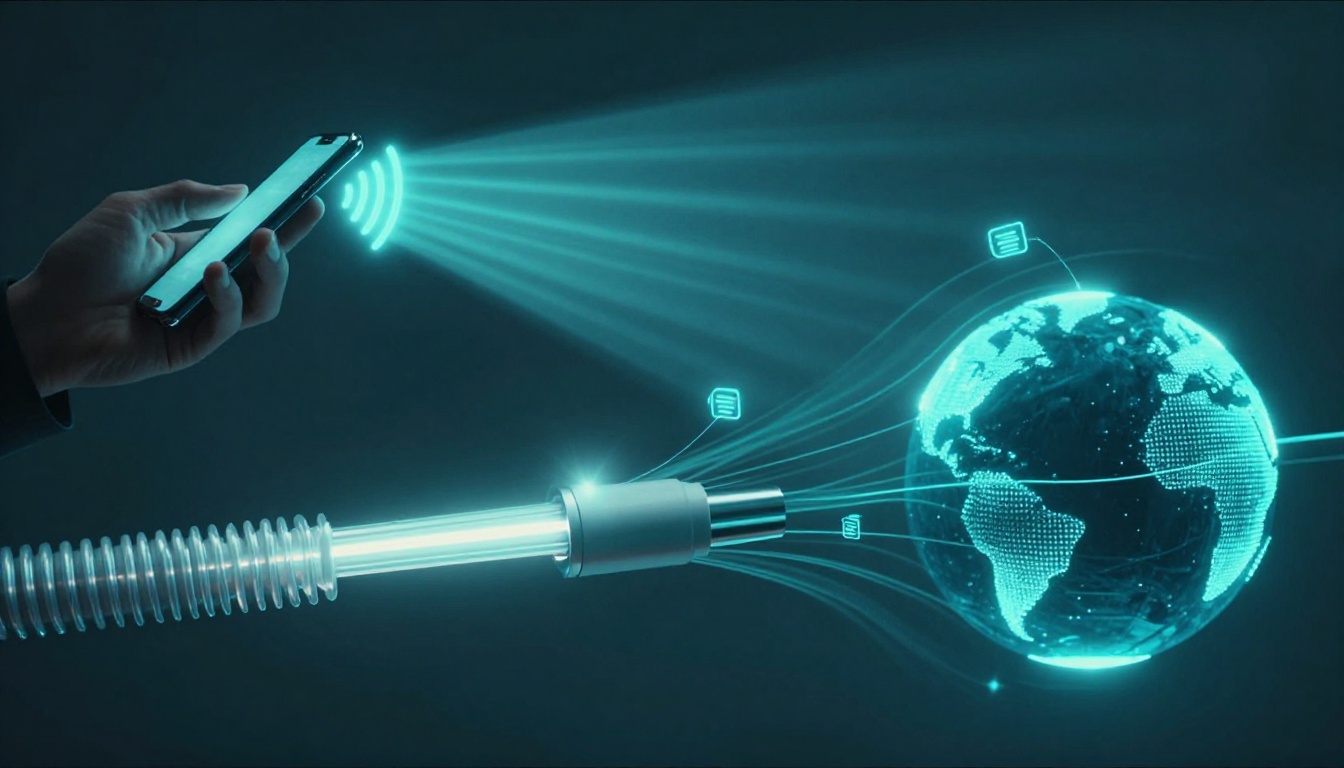
Have you ever sent a text to a friend across town and wondered how it arrives so fast? The answer is simple: signals are just data that got turned into invisible waves, electric pulses, or light beams. Then hardware on both ends does the rest.
When you stream a video, your device sends tiny bursts of information. Over air, those bursts ride radio waves. Over cables, they travel as electric signals or light. Over the internet, they get packed into packets and routed hop by hop.
In this guide, you’ll learn how each path works in plain language. You’ll also see why fiber often wins on speed, and how undersea cables connect continents. Plus, we’ll cover what’s new in 2026 wireless, like Wi‑Fi 7 and 5G-Advanced, without drowning in jargon.
Now let’s start with air, because that’s where most people feel the magic first.
How Wireless Signals Zip Through the Air Like Invisible Waves
Wireless communication works because radio waves can carry information through open air. Think of a radio station broadcasting music. Your phone and router do something similar, but with data instead of sound.
Under the hood, your device takes data (like text or video). It then encodes that data into patterns using modulating techniques. Those patterns get transmitted as radio waves from an antenna. At the other end, the receiver measures the wave patterns and decodes them back into the original data.
For a deeper look at how radios transmit data through modulation, see how radios transmit data.
Wireless can feel “instant,” but distance matters. Range can be limited by walls, interference, and the frequency band used. As a rough home benchmark, Wi‑Fi often works best within about 100 feet (not guaranteed, but common). Cellular can cover much farther, depending on towers, terrain, and spectrum.
Also, wireless links face more “traffic jams” than cables. Many devices share the same air. So standards use smart rules to avoid collisions, and modern systems send data in multiple spatial streams.
One more key idea: wireless signals spread out as they travel. So the receiver needs good signal strength, plus clean enough conditions to decode the data correctly. That’s why one room can feel fast, while the next room feels slow.
WiFi: Connecting Your Devices at Home Without Strings
Wi‑Fi uses radio bands, commonly 2.4 GHz and 5 GHz (and newer setups add 6 GHz). Higher frequencies usually support faster data rates. However, they also tend to cover shorter distances and fade more quickly through walls.
A router acts like a talker. Your laptop, phone, or smart TV acts like listeners. Each device sends and receives frames, then follows rules to keep from talking over each other. Many Wi‑Fi systems use a “take turns” style approach (often described around CSMA/CA) so signals don’t collide as often.
If you want a clear explanation of how Wi‑Fi works, How Wi‑Fi works at Britannica is a solid starting point.
You can picture Wi‑Fi like kids passing notes in class. They can’t all hand notes at once. So they follow a timing pattern. The access point also helps manage traffic, sending data to the right device and coordinating retries when signals get weak.
For speed, newer Wi‑Fi versions bring bigger channels and better handling for busy homes. In 2026, real-world Wi‑Fi 7 tests show top routers reaching about 3 Gbps in real conditions. For example, one high-end setup hit over 2,800 Mbps on the 6 GHz band at around six feet away. That’s why being near the router can feel like the difference between “buffering” and “it just plays.”
Cellular Networks: Phone Signals That Follow You Everywhere
Cellular is wireless too, but it’s designed for mobility. Your phone doesn’t sit still like a desktop. So the network uses nearby towers, each covering a cell area.
Your carrier uses licensed frequency bands to send and receive signals. When you move, your phone tracks the best tower and switches connections as needed. This is called handover. It helps keep the link stable even while you’re walking, driving, or riding public transit.
Cellular also uses multiple antennas and signal techniques. A common theme in modern networks is MIMO (multiple input, multiple output). MIMO lets systems send multiple data streams at once, improving throughput when conditions allow.
For a practical explanation of how radio frequencies connect to everyday Wi‑Fi and wireless behavior, this guide on how radio frequencies work is helpful.
In real life, coverage often wins over peak speed. 4G commonly lands around tens to about 100 Mbps depending on your area. 5G can be much faster when you’re in the right coverage zone, but it varies. mmWave can deliver gigabit-like speeds close to towers, while mid-band tends to offer more usable coverage over distance.
2026 Wireless Boosts: WiFi 7 and Smarter 5G
By 2026, wireless systems focus on two goals: move more data and reduce dropouts. Wi‑Fi 7 and 5G-Advanced push both areas.
Wi‑Fi 7 brings features that matter in crowded homes. It uses wider channels, including 320 MHz channels. In simple terms, that gives more “lanes” for data. It also adds Multi-Link Operation (MLO), which lets devices use multiple bands together. Real-world testing points to 50% to 75% lower delays compared with older approaches, along with fewer dropped connections when things get busy.
For 5G-Advanced, the big theme is better performance on modern “standalone” setups. Recent measurements show US 5G Standalone median download speeds around 404 Mbps. That’s roughly 120% faster than older non-standalone 5G in the same general timeframe. Meanwhile, mid-band performance often sits in the 300 to 800 Mbps range, with mmWave spots offering higher peaks but shorter range.
The overall feel for you: fewer stutters during video calls, more consistent gaming, and fewer “why did it lag?” moments when multiple devices go at once.
Staying on Track: How Cables Guide Signals with Zero Wander
Cables don’t rely on the air to carry signals. Instead, they provide a protected path. That matters because cables resist outside interference and signal loss better than open wireless.
With wired connections, you still have two big options for signaling: electric pulses in metal wires, or light pulses in fiber. Both can carry huge amounts of data. However, fiber usually wins when distance gets long and speeds get extreme.
Because cables keep signals inside the physical medium, they tend to feel more stable. Still, cables can suffer from problems too. Bad connectors, damaged shielding, or low-quality runs can degrade performance.
Here’s the key takeaway: cables trade mobility for reliability. If you can run the connection, wired links often provide steadier speeds with less random drop.
Below are the three major “cable lanes” you’ll see in homes and offices.
Twisted Pair Wires: The Backbone of Home Ethernet
Ethernet over copper uses twisted pair wiring. The twisting helps cancel out noise, which improves signal quality. So even in a typical office with lots of electrical gear, the data travels more cleanly.
The most common home and small office cables are rated “Cat” numbers. Cat6a is a popular choice because it supports up to 10 Gbps. Cat8 can go up to 40 Gbps, but it’s usually meant for short runs. Switches also play a big role. They decide where frames go inside your local network.
If wireless is like shouting across a noisy room, twisted pair is more like whispering through a well-insulated hallway. The message stays focused.
In real-world office setups, Ethernet still matters because it’s predictable. A game console on wired Ethernet can keep a steadier ping. A workstation can also avoid Wi‑Fi interference from nearby networks.
And even if you mostly use Wi‑Fi, most homes still connect the router to the internet with some kind of wired backbone. So twisted pair remains a quiet hero behind the scenes.
Coaxial Cables: Shielded Power for TV and Internet
Coax uses a copper core plus metal shielding. That shield protects the signal from outside interference. You’ll often see coax in homes with cable TV and cable internet.
The data travels as electric signals. Over longer distances, the provider may need amplifiers to keep the signal strong.
For cable internet, standards like DOCSIS 4.0 push higher speeds through existing coax networks. In US real-world tests right now, DOCSIS 4.0 can land around 3 to 5 Gbps. The technology can support up to 10 Gbps down and 6 Gbps up. However, availability still depends on your local provider, and rollouts remain limited compared with older DOCSIS versions.
If you’ve ever wondered why cable internet feels “fast” at night but less fast during peak times, that’s often the shared-network aspect of cable. Still, coax tends to deliver more consistent wired performance than Wi‑Fi, especially for stable connections.
Fiber Optic Cables: Light Beams Racing at Blazing Speeds
Fiber optic internet sends data as pulses of light through glass fibers. Total internal reflection helps the light bounce forward with very low loss. That’s why fiber can carry huge amounts of data over long distances.
Most home users see plans in the 300 Mbps to 5 Gbps range. In the US, real fiber speeds can reach 8 Gbps or higher in some setups. Fiber often shines for uploads too, because many plans offer symmetrical or close-to-symmetrical speeds.
For many households, fiber feels faster not just because of raw speed. It’s also because fiber links don’t face the same kind of shared neighborhood slowdowns that some cable connections experience.
Inside fiber backbones, systems can also use multiple wavelengths (colors) of light. That technique, often called WDM, multiplies capacity without needing more fibers for every jump.
If twisted pair is a whispering hallway, fiber is a mirror hall. The light keeps its energy and goes farther with fewer losses.
Internet Magic: Packets Racing Across Global Networks
Your internet connection isn’t one single wire or one single radio link. It’s a chain of links plus smart directions.
The internet works by sending data in packets. Each packet includes the data chunk plus addressing info. Routers then forward packets based on routing tables. Over time, your device reassembles those chunks in the right order.
Even though you might think “the internet is one place,” it’s more like a huge set of roads. Packets take different roads depending on congestion and routing decisions.
Encryption also matters. When you visit secure websites, your browser and server protect the content so outsiders can’t read the packets. Firewalls and security tools also filter bad traffic along the way.
In the US and globally, a large portion of international traffic uses undersea fiber. That helps explain why the same video call can work across oceans. The heavy lift often happens on fiber, while your home uses Wi‑Fi or Ethernet for the last mile.
Packets: Chopping Data into Bite-Sized Pieces for Travel
Packets are why your internet can handle interruptions. If one part gets delayed or lost, the system can resend it or route around the problem.
Imagine mailing a puzzle. Instead of sending one big box, you send many small envelopes. Each envelope has an address label. The receiver uses the labels to put the puzzle back together later.
Packets include a header with key info like source and destination addresses. As packets move through networks, each hop reads the header and decides where to send next.
This design helps with error handling. Networks can detect problems, request retransmission, or try alternate paths. The result is that your stream buffers less often, even when parts of the network get busy.
Routing: Smart Directions Sending Packets to the Right Spot
Inside networks, routers and switches work like traffic controllers. Switches handle local decisions in a LAN. Routers handle bigger decisions between networks.
Routing relies on IP addresses. When your packet arrives at a router, that device looks up the best next hop. Then it forwards the packet toward its destination.
In 2026, more providers also use smarter automation in how they manage routes. Some systems monitor traffic patterns and adjust paths to reduce congestion. You might notice this as fewer slowdowns during busy hours.
Think of routing like GPS for data trucks. Each packet has a plan. If the highway gets crowded, the route can change.
Undersea Cables: Fiber Lifelines Linking Oceans and Continents
Most people never see it, yet undersea fiber does the heavy work for global internet. These cables sit on the ocean floor and carry light pulses across long distances.
Because fiber light can travel far, systems use amplification at intervals. A typical rough rule is amplification every 50 to 100 miles, depending on the system design. That keeps signals strong enough to decode at the far end.
Undersea cables carry very large capacities, often in the terabit-per-second range. That’s important because global traffic keeps growing. Streaming, cloud backups, and business networks all depend on that constant throughput.
On top of that, submarine cable networks include redundancy. If one route gets damaged, traffic can shift to another path. So the internet stays resilient even with physical risks.
2026 Internet Upgrades: AI Routing and Massive Capacities
Network operators keep upgrading the internet backbone. The focus isn’t only faster fiber. It’s also better management of how traffic moves.
Modern networks use automation to watch congestion and respond faster. Some providers also apply AI-style analytics to predict demand spikes. That helps them balance loads across links and improve reliability.
Meanwhile, fiber tech keeps improving. New coherent optics and capacity upgrades can push more data through existing routes. Even when fiber stays in place, vendors can often increase what each link carries.
So when you get a faster plan from your provider, the change might not just be “your speed.” It can also be the capacity of the paths behind your connection. That’s why fiber growth can feel like magic.
And there’s more coming. Technologies linked to 6G and beyond will need even stronger backbones. So upgrades keep rolling forward, year after year.
Conclusion: The Same Data, Three Different Paths
That opening hook about your text across town is real, and it’s also bigger than it seems. Signals travel through air as radio waves, through cable as electric pulses or light beams, and through the internet as packets routed across global networks.
If you want a simple mental ranking, fiber usually wins on speed and stability. Wi‑Fi offers convenience for most homes, and cellular keeps you connected while you move. But when networks need massive capacity, fiber is the workhorse.
Now think back to the moment you felt “that buffering should not happen.” The next time it does, ask yourself which path got stressed, air, copper, or the backbone.
What surprises you most, that the air can carry data at all, or that whole oceans can connect with invisible light?